The real problem
Most data quality tools hide the assumptions that decide what gets found.
A dataset can be duplicated and contaminated at the same time. The same value may be formatted three ways, placed in the wrong field, or copied from a source where it was never reliable. A one-field match can look decisive while still being wrong.
In the original cleanup work, one field was useful enough to open a candidate match but not safe enough to merge on its own. The rule set combined it with a second supporting field to confirm a duplicate. A partial match became a review case, not an automatic action.
That is why the artifact puts configuration before the score. The configuration makes the evidence rule visible: what confirms a match, what needs review, and what the system should leave alone.
Start with the artifact
Open the working audit before reading the build notes.
The article makes more sense after seeing the tool run. Load the sample, switch between Standard, Configured, and Custom, and watch the same dataset produce a more honest score as the checks become more specific.
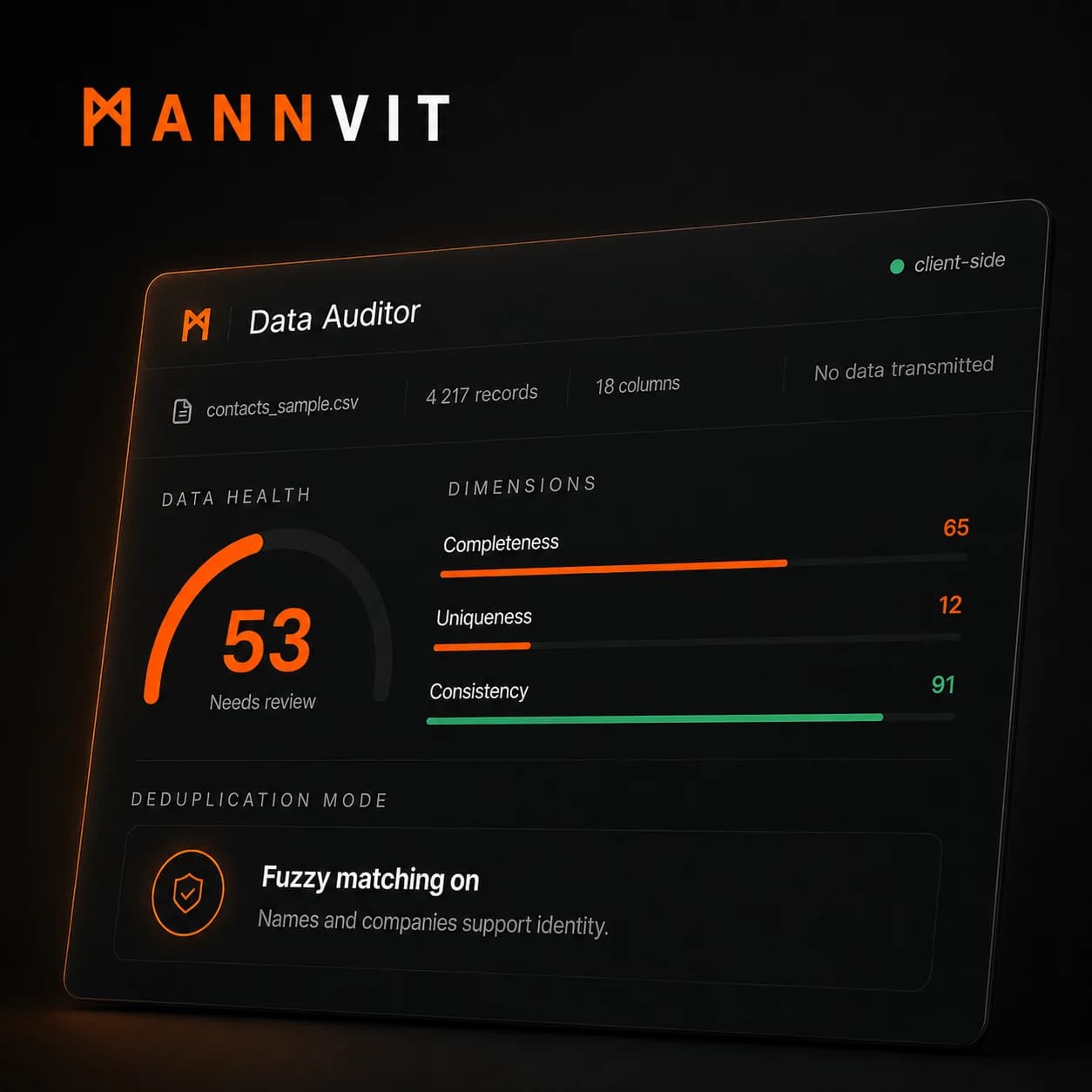
Three audit models
Standard, Configured, and Custom are different checks, not visual themes.
The preset cards are there because duplicate detection is dataset-dependent. The same file can produce different scores because each preset asks a different operational question.
Standard
Algorithm defaults, no field context
Standard is deliberately narrow. It uses email-only blocking with a strict threshold, which is good for obvious duplicate records that share the same email address.
It is easy to explain and low-risk, but it misses the structural problems that usually hurt a CRM: changed emails, variant spellings, and duplicate contacts split across the same company.
Configured
Field roles mapped, fuzzy matching on
Configured marks email as an identity field, then uses names and company context as supporting signals. This catches near-matches that Standard cannot see.
The score often drops here. That is not a bug. The additional exceptions were already in the data; the audit is now looking hard enough to find them.
Custom
Tuned to this dataset structure
Custom is the version built around the shape of the sample CRM export. It uses company-aware blocking, owner context, and a lower threshold because those signals matter in this dataset.
This is the most actionable run. It is also the lowest score, because it finds the duplicate clusters and field problems that a default audit would miss.
Same file, three scores
The health score falls as the checks get honest.
These three runs use the same 4,217-row sample. Standard reports 76. Configured, with field roles mapped and fuzzy matching on, finds more of the duplicates that were already there and drops to 71. Custom, tuned to how this CRM is structured, lands at 53. The data did not get worse between runs; the audit got more honest.
Uniqueness moves the most, from 89 to 73 to 12, while the duplicate exceptions found climb from 32 to 76 to 252. The higher score was hiding the work, not removing it.
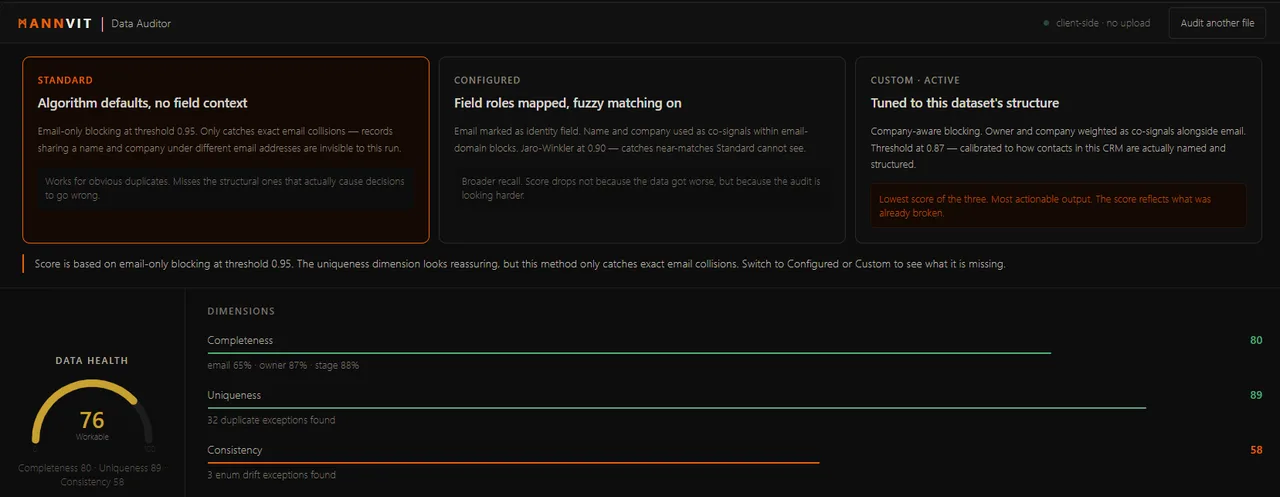
Email-only blocking. It looks healthy because it is not looking hard.
Confirmation, review, or no action
A single shared field is a lead, not a verdict.
The score is only as honest as the rule behind each check. A matching value can be misspelt, reused, or sitting in the wrong field. Treating any one match as proof is how a cleanup tool merges records that should stay separate.
The safer pattern is a small decision system: standardise the records, use one field to find candidates, require a second relevant agreement to confirm a duplicate, and send incomplete evidence to review.
The trust rules behind the score
Standardise first, combine evidence, then preserve uncertainty.
Standardise before comparing. Trim formatting noise, map known variants, and inspect field placement. A clean-looking comparison is still wrong when the value belongs in another field or was entered under a different convention.
Use a combination to confirm. One key field opens a candidate match. That key plus one of several supporting fields can confirm it. The actual combinations depend on the dataset; confirmation needs more than one clue.
Treat partial evidence as review. A key field on its own, or a lower-confidence pair of fields, does not become a duplicate. It becomes a review case with the matching evidence shown clearly.
Protect against false clusters. Placeholder values, shared inboxes, and common defaults are not identity signals. Ignore or downgrade them so thousands of records cannot collapse into one invented group.
What the score is made of
The dimensions stay visible so the health score does not become a black box.
Completeness shows missing decision fields
Missing data is not equally important. A blank phone field may be harmless in one workflow, while a missing owner or email can break a handoff. The artifact shows field-level notes so the user can see what is dragging the score down.
Uniqueness is where configuration matters most
Exact identifiers are precise but narrow. Fuzzy matching increases recall, but only becomes useful when company, owner, domain, and threshold choices match the dataset. That is why the artifact lets the user compare audit models.
Consistency catches controlled-value drift
Stage, country, status, and lifecycle fields should usually have a controlled vocabulary. Variants like Prospect, prospect, and PROSPECT split reports and quietly damage dashboards.
Freshness stays quiet unless the date field matters
A freshness check only makes sense when a date field actually represents operational recency. The artifact does not force a stale-data warning when no date field has been marked decision-critical.
Why the interface is arranged this way
The page reads like an investigation: setup, signal, priority, evidence.
File strip establishes trust
The user sees the file name, row count, column count, and browser-only privacy state before interpreting the audit. That makes the scope of the result clear.
Configuration explains the score
The cards come before the gauge because the score is meaningless without knowing which duplicate model is active. This prevents the lower Custom score from being misread as a worse dataset.
Prioritized fixes translate data into work
The fix list tells the operator what deserves attention first: missing critical fields, duplicate clusters, enum drift, or other exceptions that would change real decisions.
Exception rows are the proof layer
The table stays plain on purpose. It shows type, field, explanation, severity, and confidence so a human can review the evidence before changing records.
The design rule
Surface and rank. Do not silently decide.
Auto-fixing looks attractive in a demo, but merging CRM records affects ownership, attribution, active deals, reporting history, and customer communication. The artifact stops before that decision point.
High-confidence exact duplicates are shown differently from fuzzy matches. Drift is shown as variants rather than silently normalized. Missing fields are ranked by impact, not patched with guesses.
Production version
The Builds artifact audits a snapshot. The real version would catch the pattern earlier.
Run the tuned rules continuously
A production version would connect to the CRM or scheduled export, remember the tuned rules for that dataset, and track whether data health is improving or decaying over time.
Move checks closer to data entry
The bigger win is warning before a duplicate is created, flagging missing owner fields before handoff, and normalizing enum values before dashboards split.
If you can feel the CRM data is wrong but cannot say exactly where, a tuned audit is the honest first step.
The concept shows the model. A real audit starts from the decisions the data is supposed to support, then tunes the duplicate logic and field checks to the shape of your actual export, which is where a generic score stops being useful.
Bring the page, report, or workflow as it is now.
We reply with the clearest next step, or an honest no.